Electronic Proof of Delivery: How It Works and How to Implement It
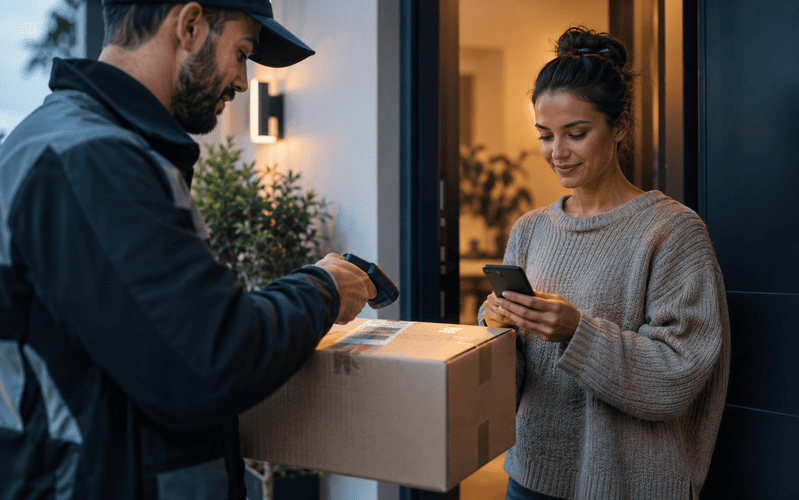
When a company decides to drop paper for good in certifying its deliveries, the first question usually isn’t whether it’s worth it, almost everyone agrees it is, but exactly how the process works, what a customer is actually signing on a screen, and whether that carries the same legal weight as a handwritten signature on a delivery slip. Electronic proof of delivery is the answer to those questions, the fully digital format that replaces paper at every point of the delivery process. This guide explains how the process works step by step, what really separates staying on paper from migrating, what legal validity the signature captured in the process actually has, and how to choose and implement a system without falling into the mistakes that most often sink these projects.
What Is Electronic Proof of Delivery?
Electronic proof of delivery, often shortened to ePOD, is the digital record that confirms a shipment reached its destination, captured directly at the moment of delivery through a last mile app, with no paper involved at any point in the process. It isn’t simply a POD scanned or photographed after the fact, it’s a document that is born digital from the very first second.
That difference isn’t cosmetic. When a paper delivery slip is digitized after the fact, by scanning or photographing a signature already collected on paper, the final file is digital, but it still carries every risk of the paper process that produced it, illegibility, loss in the cab, a delay of days before anyone enters it into the system. Electronic proof of delivery removes paper from the source. The driver carries no physical document to sign, the entire process, order identification, signature or photo, location, timestamp, happens inside the app at the exact moment the delivery takes place.
Put another way, POD is the general concept, the document that certifies a delivery, and it can exist on paper or digitally. Electronic proof of delivery is specifically the variant that is generated, signed, and transmitted in digital format from start to finish, with no manual transcription step anywhere in between.
How Electronic Proof of Delivery Works, Step by Step
The capture process almost always follows a similar sequence, even though each software provider implements it with its own details. Understanding each stage helps judge whether a given system actually delivers real guarantees or just digitizes the surface of the process without fixing the underlying problems paper always had. These are the four stages that make up a complete electronic proof of delivery.
Scanning the Order or Parcel
On arrival at the delivery point, the driver scans the barcode or QR code on the order using the app itself, usually installed on a smartphone or a dedicated handheld device. This scan automatically links the delivery about to be logged with the specific order in the sender’s system, something the paper model left entirely dependent on the driver correctly writing down a slip number by hand.
This first step also works as a quality check. If a driver scans a parcel that doesn’t match the stop they’re at, many apps trigger an alert before letting them continue, preventing a delivery to the wrong address, an error the paper process typically only catches days later, when the actual intended customer reports never receiving their order.
On Screen Signature or Photo Capture
With the order identified, the recipient signs directly on the phone or tablet screen, with a finger or a stylus. Unlike a signature on paper, the app doesn’t just save an image of the stroke, many systems also record the vector pattern of the gesture itself, adding a layer of verification a traced or forged signature can’t easily replicate.
When nobody is available to sign, increasingly common with unattended ecommerce deliveries, the driver replaces the signature with a photo of the parcel at the delivery point, for example at a front door or a building’s reception. Well built apps require the driver to review the photo before submitting it, preventing a blurry or poorly framed shot that would lose all its value as evidence if a dispute later comes up over whether the package was actually left there.
GPS Geolocation
The moment a delivery is confirmed, the device itself captures its GPS coordinates. The system automatically compares that location against the delivery address on file, and if the distance exceeds a reasonable margin, it flags the delivery as an exception to review rather than simply marking it complete.
This layer of verification is something paper could never offer. A signed slip doesn’t say where it was signed, only that someone signed it. Geolocation turns a plain signature into proof the delivery physically happened at the right place, which becomes decisive when a customer insists the order never reached their address.
Server Side Timestamping
The date and time of delivery aren’t typed in by the driver, nor generated by the phone’s own clock, which could in theory be tampered with. The software provider’s server stamps the exact moment it receives the confirmation, a data point that becomes unalterable from that instant on.
This technical detail has very practical consequences. If a device loses signal at the moment of delivery and the confirmation isn’t transmitted until minutes later once coverage returns, a well built system also retains the device’s local time at the moment of capture, alongside the server side timestamp, so it can prove when the delivery actually happened rather than only when the data reached the central system.
Paper vs. Digital: The Decision to Migrate
Most operators aren’t really asking whether electronic proof of delivery outperforms paper, nearly everyone agrees it does, they’re asking when to migrate and how to justify the investment to leadership. Comparing the two models on the variables that actually drive a business decision, cost, implementation time, and return, builds a stronger case for electronic proof of delivery than a generic list of benefits.
- Cost per captured delivery. Paper looks free in the moment, all it takes is a pen, but it carries a hidden cost in handling, scanning, and filing that rarely gets counted as a real expense. An electronic proof of delivery system charges per license or per captured delivery, which varies by volume and provider, but it eliminates almost all the downstream cost of manually handling the document.
- Implementation time. A pilot with a small fleet can usually go live within a few weeks, covering software selection, initial setup, and training the first group of drivers. A full rollout across the whole fleet takes longer, typically several months, especially when it needs to integrate with an existing TMS or ERP.
- Billing cycle. With paper, an invoice waits for the physical slip to reach the back office, which can take days. With electronic proof of delivery, the data is available within seconds, making it possible to bill almost immediately after the delivery happens.
- Risk of losing the proof. A paper slip can get wet, go missing, or become illegible before it reaches the office. An electronic proof of delivery is stored on a server the second it’s captured, with no dependence on anyone physically transporting it.
- Return on investment. The higher the daily delivery volume, the faster the initial investment in software and devices pays for itself, because savings in administrative time, avoided disputes, and faster invoicing grow with every additional delivery running through the system. A small fleet with few daily deliveries takes longer to see that return than a high volume last mile operation.
For a company that bills per service performed, the billing cycle argument is usually the one that carries the most weight when justifying the switch to leadership, because its effect on cash flow is immediate and easy to measure from the very first month.
Legal Validity of Electronic Signatures in Electronic Proof of Delivery
One of the most common hesitations around migrating is doubt over whether a signature captured on a screen carries the same weight as a handwritten one on paper. The general answer is yes, provided certain technical conditions are met, but it’s worth understanding what type of electronic signature actually underpins a valid electronic proof of delivery.
The Three Levels of Electronic Signature
The regulatory framework governing electronic signatures across the EU and the UK distinguishes three levels with different evidentiary weight. A simple electronic signature is the most basic, any data in electronic form attached to another document that the signer uses to sign, like the stroke captured on a tablet screen during a delivery. An advanced electronic signature adds real guarantees, it must be uniquely linked to the signer, allow their identification, and detect any later change to the signed data. A qualified electronic signature sits at the top of the scale, it requires a certificate issued by a qualified trust service provider and carries the same legal standing as a handwritten signature in virtually any circumstance.
The vast majority of electronic proof of delivery systems capture simple signatures or, at best, advanced ones. Qualified signatures, which require an individual digital certificate, aren’t realistic in this context because they’d require every recipient to already hold their own certificate, which simply isn’t workable for a one off delivery to a private individual. That doesn’t mean a signature captured during a delivery carries no weight, it means its evidentiary strength depends entirely on how it was captured and what other data surrounds it.
What the System Must Guarantee for the Signature to Hold Up as Evidence
For a simple electronic signature to survive a dispute, the system capturing it needs to be able to prove three things, who signed, what exactly they signed, and when, with none of those three points changeable after the fact. This is where the rest of the process elements described above come in, server side timestamping, geolocation, and a direct link to the specific order. A signature on its own, with none of that surrounding context, carries little weight in a claim. That same signature paired with an exact time, a verified location, and an unambiguous order reference carries far more evidentiary strength, comparable in practice to a qualified signature in many commercial disputes.
That said, requirements vary by industry and by country, particularly around what counts as sufficient evidence in higher value disputes. Before a significant dispute, it’s worth checking with legal counsel rather than assuming any signature captured on a screen automatically carries the same weight in every circumstance.
How to Choose an Electronic Proof of Delivery System
Not every electronic proof of delivery system on the market offers the same level of reliability, and choosing the wrong one carries a cost that shows up months later, exactly when the system fails at the moment it’s needed most, for example during a significant dispute. These are the points worth checking before signing with a provider.
- Offline functionality. The system needs to be able to capture a delivery even when the device has no signal at that moment, and sync the data automatically once coverage returns, without losing the actual time or location of the original capture.
- Integration with TMS and ERP systems. Captured data needs to flow automatically into transportation management and billing systems, without anyone having to re enter it by hand into another platform.
- Supported capture methods. On screen signature, photo, PIN code, or barcode scanning, the more options a system offers, the better it adapts to different delivery scenarios, from a private individual at home to an unattended drop at a warehouse.
- Encryption and secure storage. Captured data, including the signature and geolocation, needs to travel and be stored encrypted, and the provider should be able to explain clearly where it’s stored and for how long.
- Scalability across multiple carriers. If the operation works with several carriers or subcontractors, the system should be able to centralize all their data in a single dashboard, rather than forcing a separate check with each provider.
- Real time dashboard and alerts. The operations team needs visibility into delivery status as it happens, with automatic alerts for exceptions like an out of range geolocation or a delivery with no signature or photo attached.
Common Implementation Mistakes
Many electronic proof of delivery projects don’t fail because of a bad software choice, they fail because of how the rollout was handled. These are the mistakes most likely to turn a well planned project on paper into a disappointment in practice.
Not Training Drivers Before Launch
Handing out the app the same day it goes live, with no prior training, is one of the most common causes of failure. A driver who doesn’t know what to do without signal, or doesn’t understand why they need to review a photo before submitting it, ends up producing incomplete proof of delivery records, exactly like what happened with paper, only now inside a system that was supposed to fix that exact problem.
Not Planning for Offline Mode
Many delivery areas, especially rural routes or the interiors of large warehouses and industrial parks, have patchy signal coverage. Choosing a system that doesn’t work reliably offline forces the driver back to an emergency paper slip every time they lose signal, reintroducing every problem digitization was meant to eliminate.
Launching Without Connecting the System to a TMS or ERP
Rolling out the capture app without integrating it from day one with transportation management and billing systems is a common mistake, almost always driven by the pressure to launch the project as fast as possible. The result is that someone still has to manually re enter the captured data into another system, wiping out much of the speed gain the switch was supposed to deliver.
Choosing Devices That Don’t Fit the Work Environment
A low end smartphone with a small screen and limited battery life doesn’t hold up well through a full day of deliveries and makes it harder to capture a clean signature or photo. Picking a device without accounting for real working conditions, temperature, use with gloves, exposure to rain, is a common reason drivers end up avoiding the process or rushing through it badly.
Not Defining a Clear Data Retention Policy
Capturing electronic proof of delivery correctly doesn’t count for much if nobody has defined how long records are kept, who can access them, and how a specific one gets retrieved months later. Many companies discover this gap exactly when they need it most, during a late claim or an audit, at which point it’s already too late to fix.
Frequently Asked Questions About Electronic Proof of Delivery
These are the questions that come up most often when understanding or implementing an electronic proof of delivery system, beyond what’s already covered above on how it works and its legal standing.
Is electronic proof of delivery the same thing as digital POD?
In practice, yes, the two terms are generally used interchangeably to describe the same concept, a proof of delivery record generated, signed, and transmitted digitally. The subtle difference is that digital POD sometimes also describes a paper slip that gets scanned afterward, while electronic proof of delivery is almost always reserved for a process that’s digital from start to finish.
What happens if the driver has no signal at the moment of delivery?
A well built system still captures the signature, photo, and location on the device itself, with the local time logged at that exact moment, then syncs everything with the server once connectivity returns. If a system doesn’t offer this, the delivery goes unrecorded until the driver finds signal, which can take hours.
Do I need the customer’s consent to capture their signature or location?
Yes, since this involves personal data, capture needs to comply with applicable data protection rules, informing the recipient what the data is used for and how long it’s retained. Most software providers include configurable privacy notices built directly into the delivery app.
How much does it cost to implement an electronic proof of delivery system?
It depends on delivery volume, the number of drivers, and whether a TMS already exists to integrate with. Most providers charge per user license or per captured delivery, and device costs vary widely depending on whether drivers use their own smartphones or the company supplies dedicated handheld terminals.
Does electronic proof of delivery work as an invoice?
No, electronic proof of delivery confirms a shipment reached its destination, it doesn’t replace an invoice as a tax document. What it does do is trigger the billing process in many transportation contracts, by confirming the service was completed correctly.